An invoice template Google Docs setup gives you a professional, shareable bill in under 30 minutes—without installing anything. This guide shows you how to build a single template that accepts fiat and cryptocurrency payments, so you can invoice a startup in US dollars, a DAO in USDC, or a global client in Euros from the same document.
Table of Contents
- What You’ll Build
- Prerequisites
- Step 1: Get a Google Docs Invoice Template
- Step 2: Fill in Business and Client Details
- Step 3: Add Payment Terms – Fiat, Crypto, and Late Fees
- Step 4: Finalize, Save, and Share
- Worked Example: Invoice a Web3 Client in USDC
- Success Criteria: Quick Audit
- Troubleshooting
- FAQ
- Key Takeaways
What You’ll Build
A Google Docs template that includes all standard billing fields plus sections for fiat bank details, cryptocurrency wallet addresses, and late-payment terms. Export it as a PDF, share a view-only link, and optionally connect it to OneSafe’s free invoicing tools for automatic payment reconciliation across currencies.
Who This Is For
Freelancers, small business owners needing a small business invoice template Google Docs, Web3 startups, and DAO treasuries that bill clients in traditional currencies or stablecoins. If you use Google Workspace and want a clean, no-cost template, you’re in the right place.
Time, Cost, and Risk
- Time: 20–30 minutes.
- Cost: $0 – Google’s template gallery or a Google Docs invoice template free download from a reputable site. OneSafe’s free account includes invoicing; premium is optional.
- Risk: Low, but manual math means you own every total. Sharing a wallet address via a public link creates a phishing risk—always send the document directly and double-check the address.
Prerequisites
- A Google account.
- A base template from the built-in gallery or a free Google Docs invoice template (see Step 1).
- Optional: Open a OneSafe account if you want automatic crypto payment tracking. Onboarding is digital, takes a few days, and requires business docs and an ID.
- Make a copy of any template before editing.
Step 1: Get a Google Docs Invoice Template
Choose one:
- In Google Docs, go to
File > New > From template gallery, scroll to “Invoices,” and pick a clean design. - Download a Google Docs invoice template free download from a site like Wave and open it in Docs. For a visual walkthrough, Adobe’s guide on how to make an invoice template in Google Docs is helpful.
Pick a template with a simple line-item table; heavily merged cells break when you add custom sections.
Step 2: Fill in Business and Client Details
Replace every placeholder. Below are the essential Google Docs invoice template fields:
| Field | What to enter |
|---|---|
| Your business name, address, contact | Legal name, email, phone, VAT ID if applicable. |
| Client name, company, billing address | Exact details from the client. |
| Invoice number | Unique and sequential (e.g., INV-2026-0042). |
| Invoice date | Date of issue. |
| Due date | Net 30 or “Upon receipt.” |
| Line items | Description, quantity, unit price, line total. |
| Subtotal | Sum of lines. |
| Tax rate and amount | VAT/GST as required. Manually calculated. |
| Total due | Subtotal + tax, entered manually. |
After filling, hit File > Save as Google Docs if needed, then preview the document outline.
Step 3: Add Payment Terms – Fiat, Crypto, and Late Fees
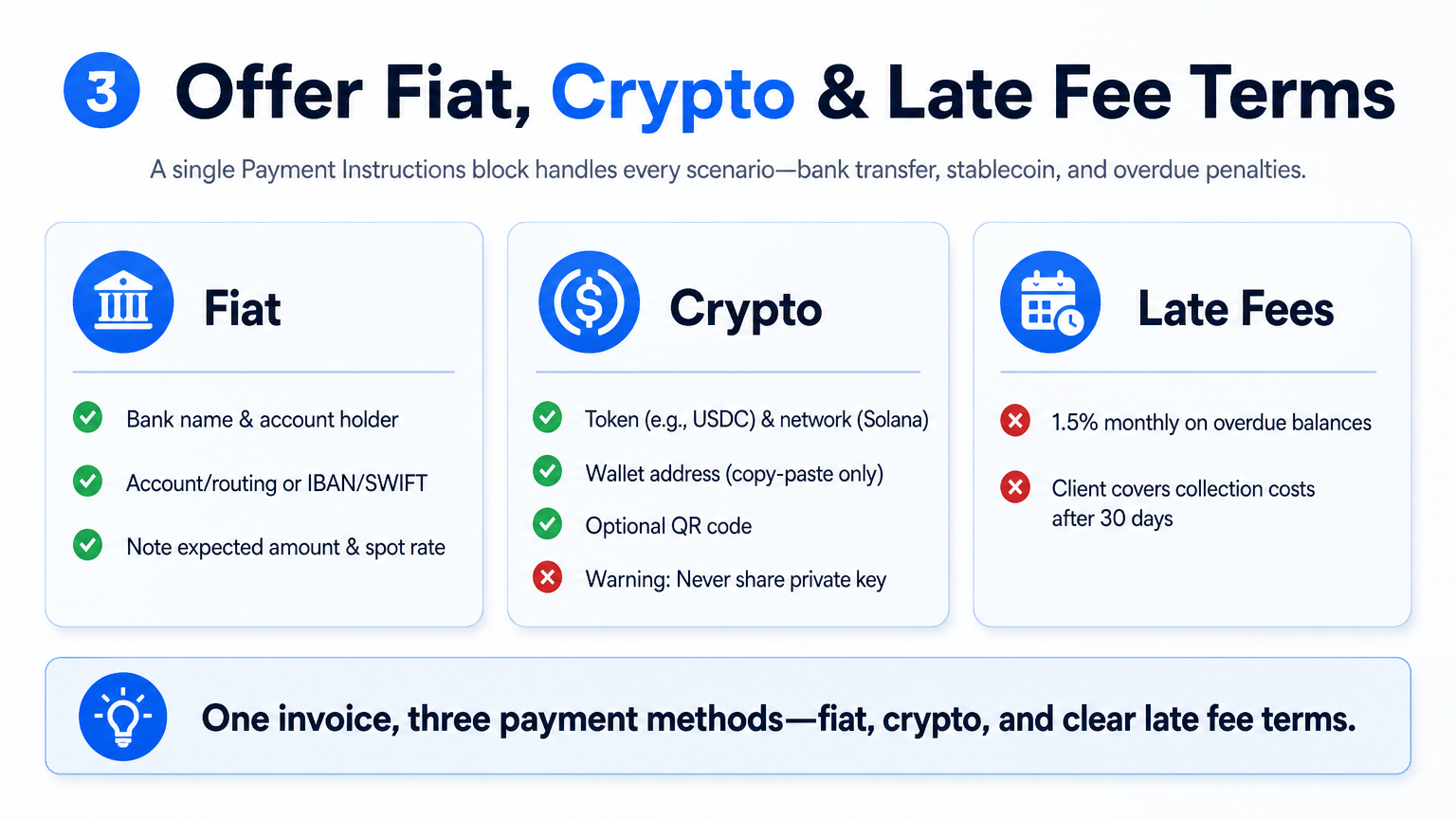 Create a “Payment Instructions” block that sets your invoice apart as an invoice template with crypto payment.
Fiat instructions: Bank name, account holder, account/routing numbers (ACH), IBAN/SWIFT for wires, and currency. For multi-currency invoices, note the expected amount and spot rate.
Crypto instructions: Under a bold “Cryptocurrency Payment” heading, include:
- Token type and network (e.g., USDC on Solana). The network is critical—USDC on Ethereum ≠ USDC on Solana.
- Wallet address (copy‑paste from your wallet or OneSafe). Never type it manually. OneSafe provides free USDC deposit addresses when you enable crypto.
- Optional QR code to reduce address errors.
- Bold warning: Never share your private key or recovery phrase. The public address is all that’s needed.
Use a separate business‑only wallet and always restrict the shared document to “Viewer.” Stablecoin infrastructure, explained in this overview, highlights why dedicated payment rails matter; treat your invoice address accordingly.
Late payments: State clearly, e.g., “1.5% per month on overdue balances,” and that the client covers collection costs after 30 days, subject to local laws.
Step 4: Finalize, Save, and Share
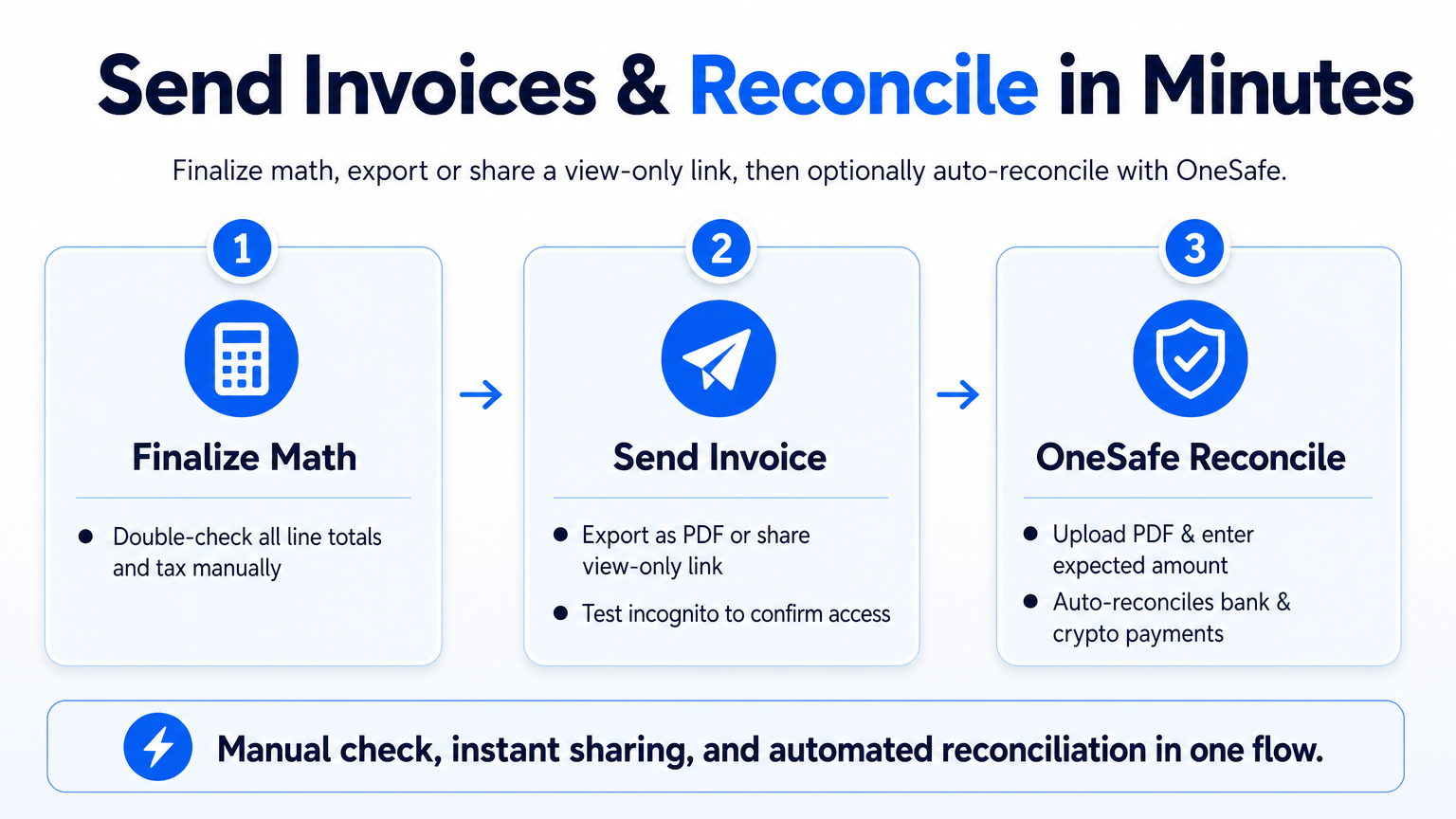 Double‑check all math, then send invoice from Google Docs:
- Export via
File > Download > PDF Document. Verify layout and no cut‑off text. - Or share a view‑only link: Click
Share, set to “Anyone with the link can view,” and test incognito.
Optional one‑step reconciliation with OneSafe:
- Log into OneSafe, go to Invoicing, create a new invoice, and upload the PDF.
- Enter the client’s email and the expected amount.
- OneSafe generates a payment link; the client pays by bank transfer or crypto, and the platform auto‑reconciles when funds arrive. No manual checking.
Worked Example: Invoice a Web3 Client in USDC
A freelance developer in Portugal (sole proprietor) bills Aurora DAO in Singapore $2,500 for a smart‑contract audit, payable in USDC on Solana. Invoice date: Nov 18, 2026; due Net 14 (Dec 2, 2026).
- Header: Your name, Lisbon address, NIF, email.
- Client: Aurora DAO, Singapore address.
- Invoice: INV-2026-0114.
- Line item: “Smart Contract Audit – ERC‑721 & Staking Module,” qty 1, $2,500.
- Total: $2,500. No tax per B2B digital service rules (confirm with tax pro).
- Payment:
Fiat (reference): Bank transfer to Portuguese IBAN in EUR.
Crypto: 2,500 USDC to Solana addressBXq...3kP(from OneSafe).
Network: Solana only. - Late fee: 1.5% monthly.
Email the PDF, upload to OneSafe, and mark the expected 2,500 USDC. Payment arrival triggers a notification and auto‑marks the invoice “Paid.” For freelancers who want their site to attract more clients while they stay buried in work, Joyrise handles the SEO content writing so you rank for the services you offer.
Success Criteria: Quick Audit
✅ All placeholders replaced.
✅ Wallet address copied, not typed; network explicitly stated.
✅ PDF exports without layout breaks.
✅ View‑only link works on mobile.
When manual Docs become a bottleneck (10+ invoices/month, multi‑currency, need for a recurring invoice template Google Docs), move to OneSafe’s invoicing dashboard for recurring billing, auto tax, and real‑time treasury sync. As stablecoin payments integrate deeper into global commerce—takeaways from the BIS report on stablecoins for businesses—native block‑level reconciliation saves hours.
Troubleshooting
- Mobile breaks formatting: Use monospace font (Courier New) for wallet addresses, set cell to “No wrap.”
- Shared link access denied: In incognito, verify “Anyone with the link” / “Viewer”; remove any sign‑in prompt.
- Address cut off: Widen column, reduce font size, and remove auto‑hyperlinks that might truncate.
- Poor PDF export: Set 1‑inch margins, remove extra line breaks, use Ctrl+P “Save as PDF” if the direct download misbehaves.
FAQ
What must a Google Docs invoice include?
Business details, client info, unique invoice number, dates, line items, subtotal, tax, total, and for crypto the token, network, and address.
Can I edit on my phone?
Yes, but precise table tweaks are hard. Do layout on desktop; mobile only for text edits.
Does Google Docs auto‑calculate?
No. Sum line totals and apply tax by hand; double‑check every number.
How do I speed up payments?
Short due date (Net 14), a clear late‑fee policy, and OneSafe’s automated reminders and real‑time payment detection.
Is there a free template?
Yes. Google’s gallery and sites like Monday.com’s free invoice template Google Docs—whatever you pick, your custom fields are the real value.
Key Takeaways
- A Google Docs invoice template 2026 with fiat and crypto fields takes 30 minutes with free templates; all calculations are manual.
- A single mis‑typed wallet address or wrong network can mean permanent loss—verify by copy‑paste and state the network explicitly.
- For easy reconciliation, link the PDF to OneSafe; it tracks USD, EUR, USDC, and other tokens automatically.
- Always share as view‑only; if scaling, adopt a platform that handles crypto treasury management and recurring billing natively.
Ready to accept fiat and crypto without juggling five tools? Open a free OneSafe account today.